For teachers · sample report
One real report, read the way a teacher reads it.
This is a mock-test report from the YNova Demo School, unedited. The numbered notes beside it say what each part means, where it came from, and what the app refused to say. If a number on a report cannot be explained this way, we do not show it.
Practice estimate. Not an official IELTS result.
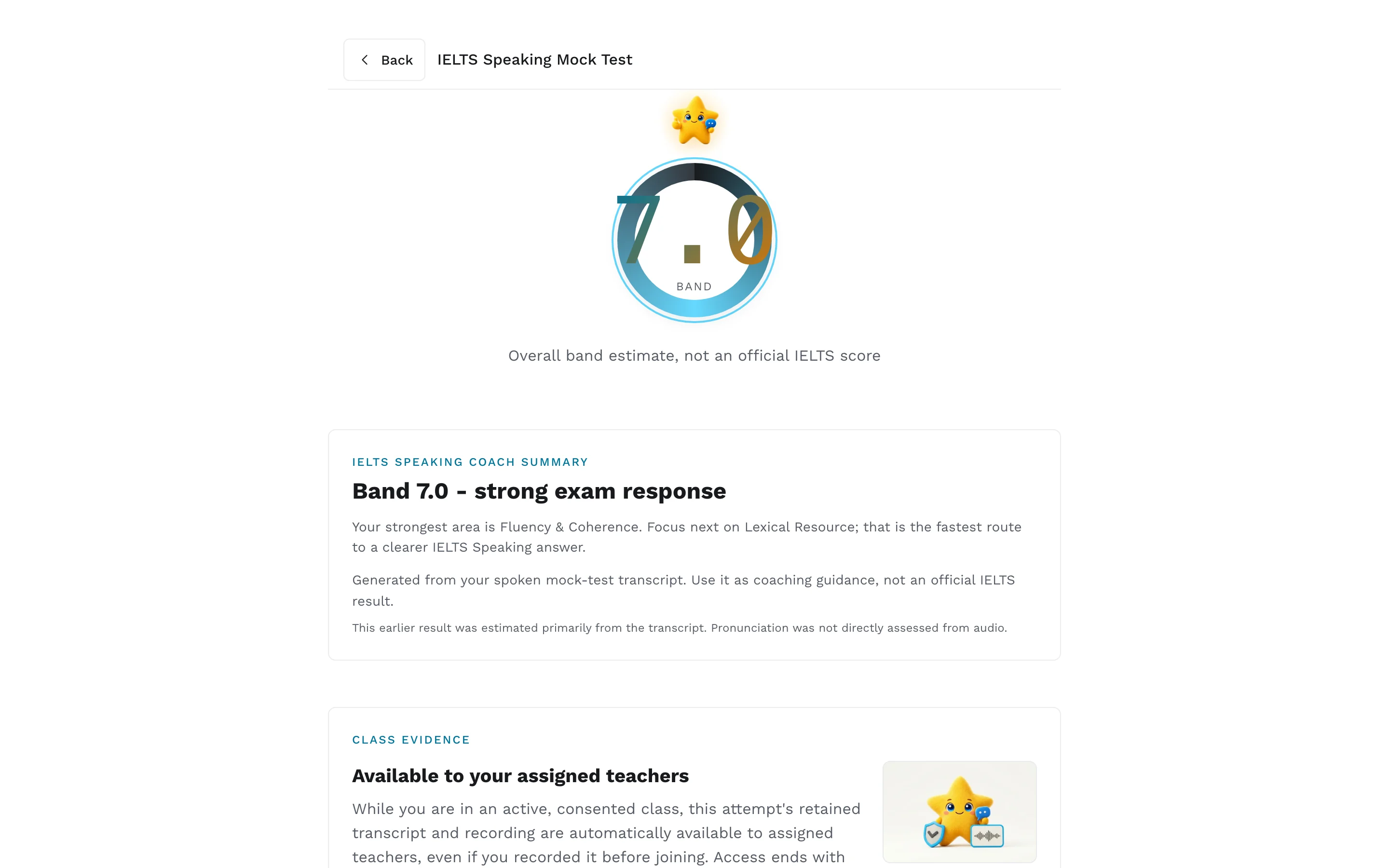
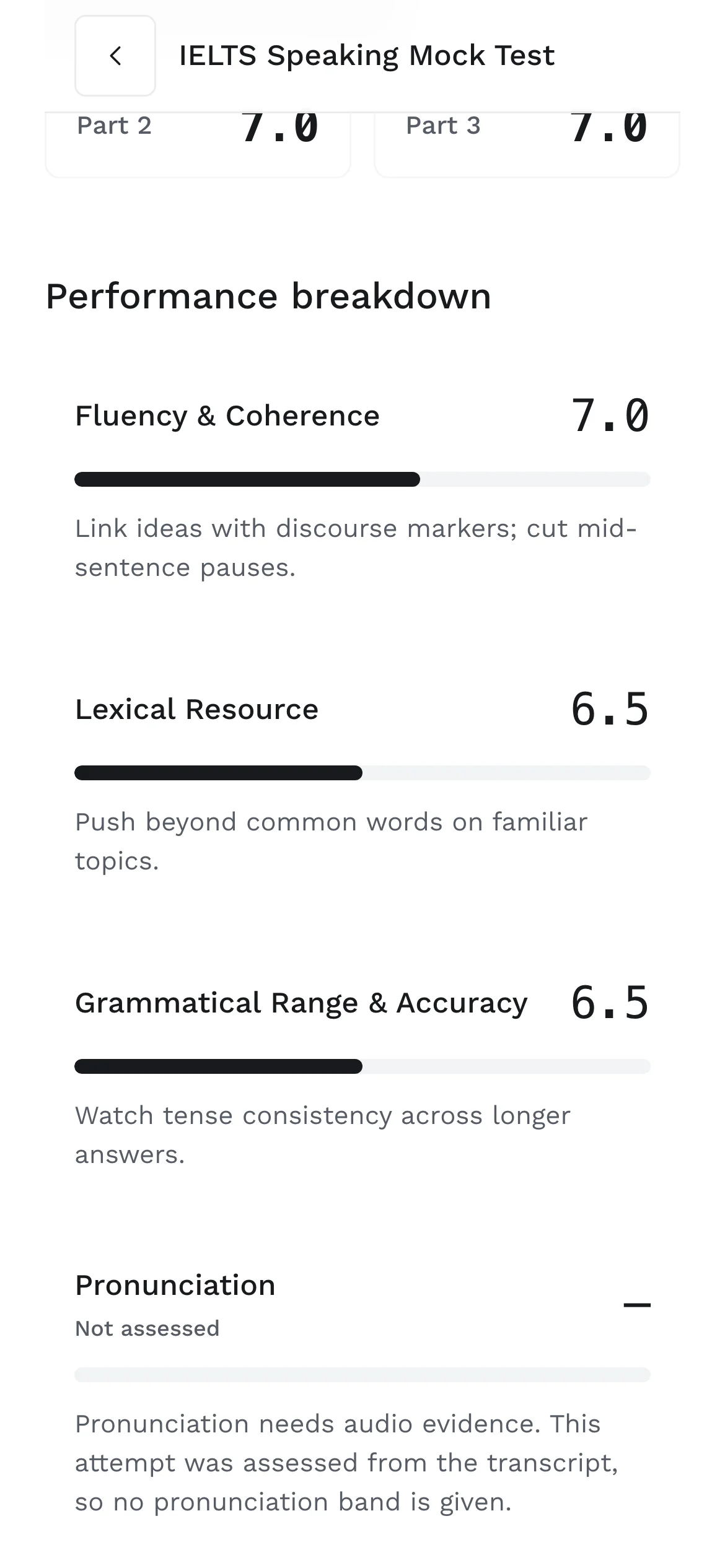
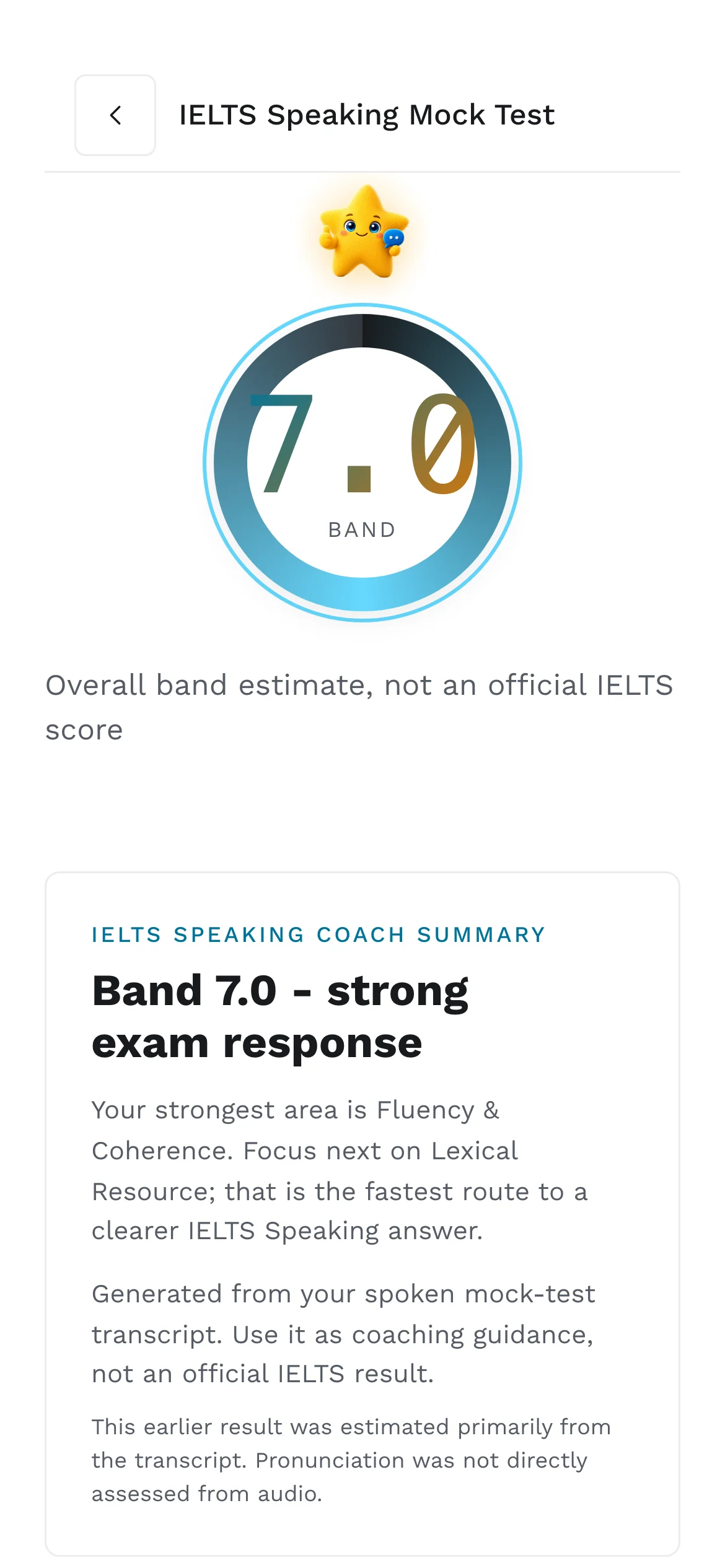
- 1
The overall band and its label
7.0 is the mean of fluency, lexical resource and grammar for this attempt, computed by code in half steps. The line under it, “Overall band estimate, not an official IELTS score”, is not decoration; the report engine is forbidden from omitting it.
- 2
The coach summary
One strength, one priority, one route. Every claim in it had to be supported by a quote that appears word for word in the transcript, or the report failed its checks and was reissued as partial.
- 3
Where the score came from
“Generated from your spoken mock-test transcript” is the score basis. This attempt was transcript-only, so the report says pronunciation was not directly assessed from audio. It does not guess.
- 4
Four criteria, one fix each
Fluency and coherence 7.0, lexical resource 6.5, grammatical range and accuracy 6.5, and one concrete thing to work on under each. Pronunciation shows a dash and the reason: no audio evidence.
- 5
What the learner shared with you
The class evidence block at the bottom says which of this is visible to assigned teachers. The learner consented at class join and can withdraw any single attempt.
Screens from the YNova Demo School, a synthetic fixture with made-up learners. The interface is the real product.
Then, in your portal
The same evidence, on the learner's page.
Open the learner from your attention queue and the report sits with everything else: the band trend across valid mock tests, practice this week, open assignments, and the Evidence tab with shared transcripts.
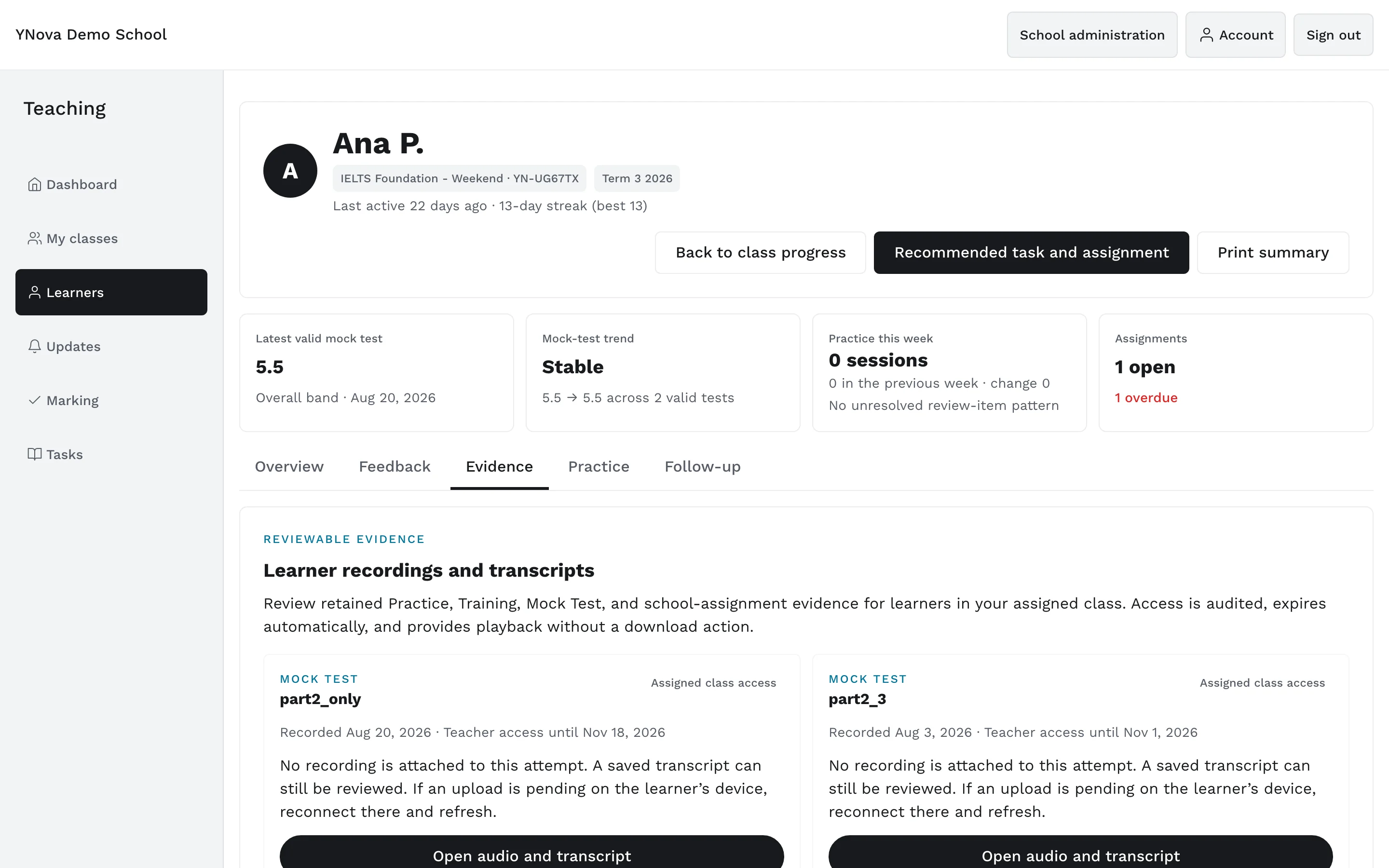
NOVA can draft a comment from this evidence and your own bands. You edit it, or discard it, and only you can return a mark. How every number on the report is produced is on the scoring page.
Bring your class.
A pilot takes one administrator, one teacher and a term date. We open the school and stay with you until every learner is in.
Scores in the app are practice estimates, not official results.